

Enterprise Feature — API key permissioning is available on superglue Enterprise plans. Contact us to learn more.
API key types
| Type | Access |
|---|---|
| Unrestricted | Full access to GraphQL, REST, MCP, and all tools |
| Restricted | REST and MCP only, limited to specific tools |
Creating API keys
Create and manage API keys from the dashboard: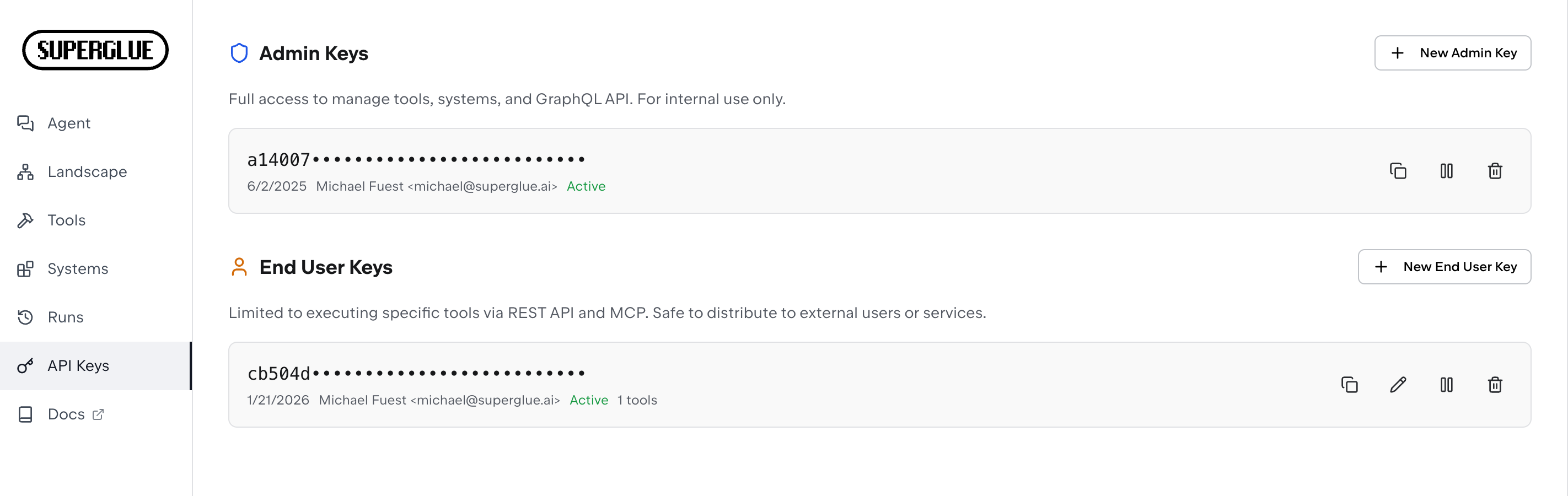
Restricted keys
Restricted API keys have limited access compared to full API keys. They are designed for use cases where you want to provide limited access to external services or AI agents.What restricted keys can do
- Execute tools via REST API (
/v1/tools/{id}/run) - Execute tools via MCP server
- List tools they have access to
What restricted keys cannot do
- Access the GraphQL API
- Modify tool configurations
End-user system scopes
When using multi-tenancy features, end users can be assigned specific systems they’re allowed to access. Tools are filtered based on the systems they use - an end user can only execute tools that use systems they have access to.Use cases
AI Agent Access
Create restricted keys for AI agents that only allow access to approved tools
Third-Party Integrations
Share restricted keys with external services that only need to trigger specific tools
Example: Creating a restricted key for an agent
- Navigate to Settings → API Keys
- Click Create API Key
- Enable Restricted access
- Select the tools this key should access
- Copy the generated key